

How-to
Files
Files
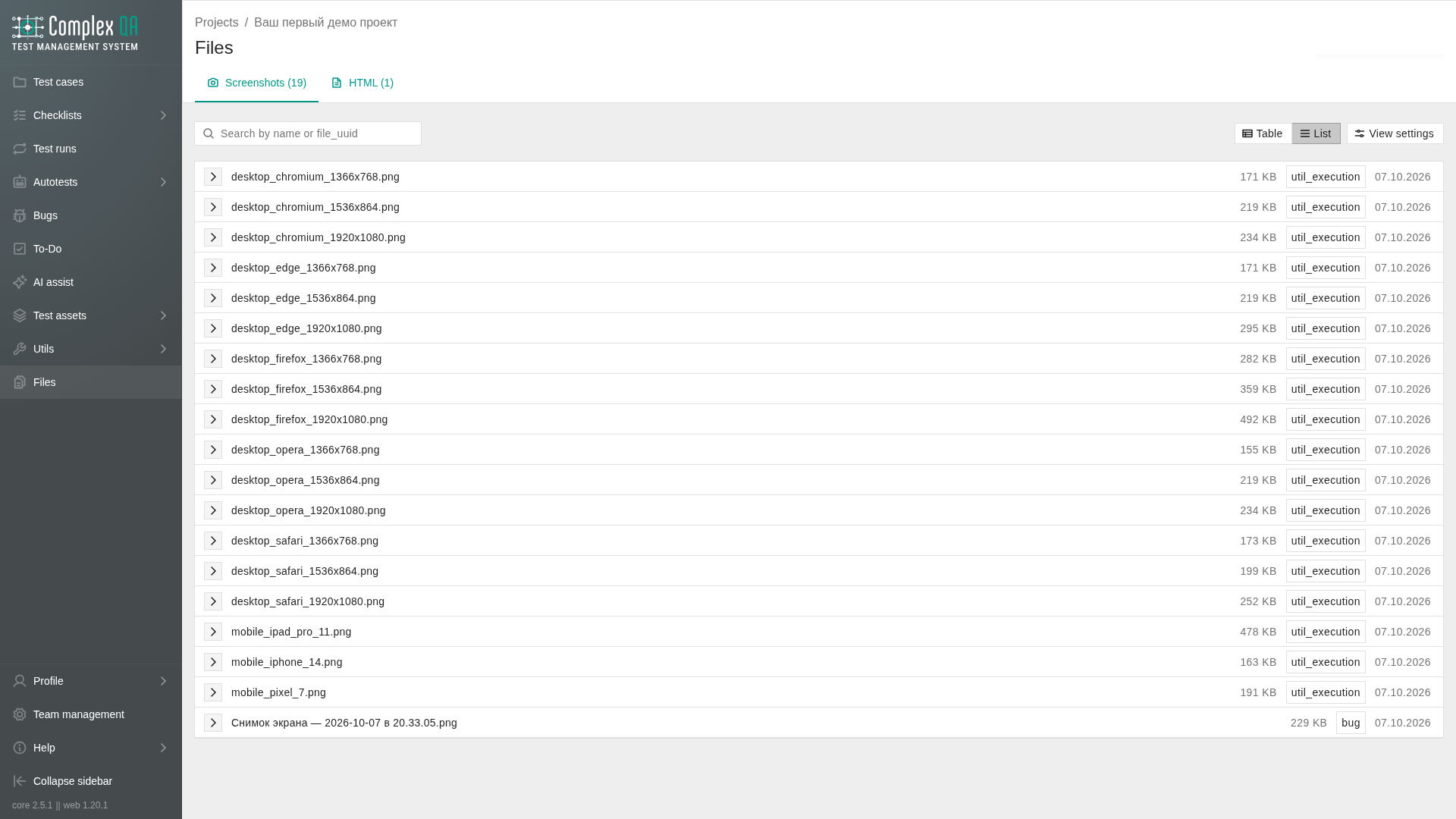
Upload and manage files attached to ComplexQA entities. The web app shows temporary access links issued per request. It does not serve bytes from util rows or autotest results directly.
Where to open
| Place | Scope |
|---|---|
| Project menu Files | Files of the current project |
| Team management, tab Files | All files of the team (includes a project column) |
Categories
Tabs appear only for categories that already have files. A tab filters the project files. The view inside the tab only changes how those rows are shown. On Table in project files, checked rows show selected table rows. The team management Files tab stays a table, with the older strip N selected, Download, Delete.
| Category (UI) | Used for |
|---|---|
Screenshots (screenshot) | Screenshot Multi and bug screenshots |
Autotest screenshots (autotest_screenshot) | PNG from an autotest run when screenshot on failure is on |
HTML (html) | HTML artifacts |
Postman (postman) | Postman collections |
Video (video) | Video artifacts |
JSON (json) | JSON artifacts |
Other (other) | Anything else in team storage |
The quota bar shows file count, total size, and the team quota. Preview opens for screenshot categories. Delete removes the file from storage with confirmation.
Temporary links
Access links are time-limited. When a link expires, request a new preview from the product. That is not a broken file.
Did this page help?