

Test cases
Test cases
This section covers the project catalog of manual checks: how test suites organize cases, how a test case and its test case steps are structured, and how to create or import cases.
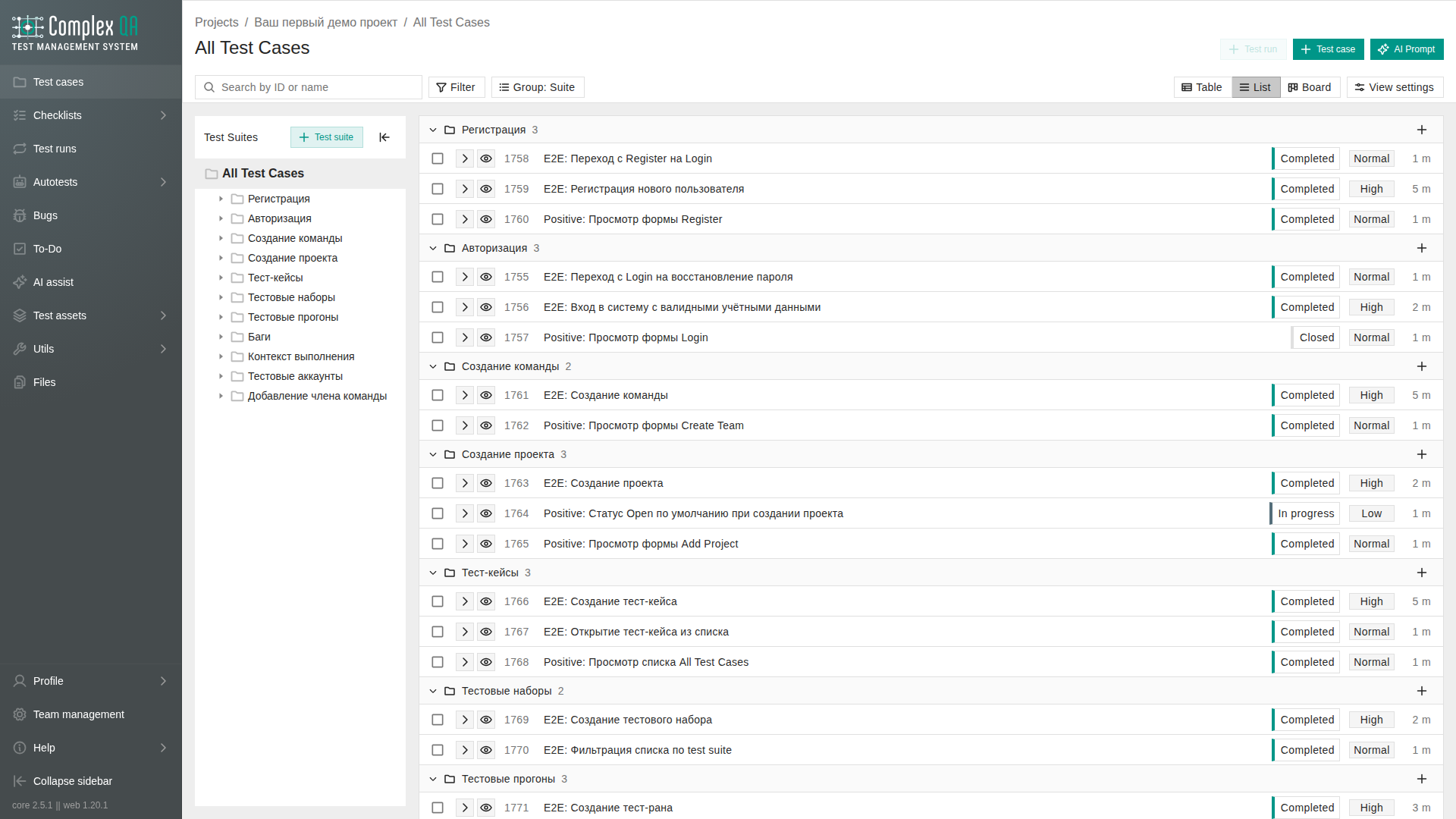
Use this section when you write or maintain manual test documentation. Autotests and autotest runs live under Autotests. Execution of selected cases lives under Test runs.
Boundaries
- Suites form a tree inside a project. Cases can sit in a suite or at the catalog root.
- Steps document what to do and what to expect. Step targeting metadata for future automation is not a live runner.
- Import accepts a JSON array (or a migration path). ComplexQA does not call a language model during import.
- Team custom properties and project tags can appear on cases. Suites and steps are not tagged.
In this section
| Page | Purpose |
|---|---|
| Test case | Element reference: fields, statuses, the details page |
| Test case listing views | How to use Table, List, Board, and the suites panel |
| Test suite | Element reference: suite tree and clone rules |
| Test case step | Element reference: step types and fields |
| Test case creation | How to add a case in the catalog |
| Test suite creation | How to add a suite to the tree |
| Test case import | How to bring in JSON or migration output |
What to read next
- Optional structure: Test suite creation.
- Add a case: Test case creation.
- Bulk entry: Test case import or Test case generation.
Did this page help?