

Element reference
Element
Element
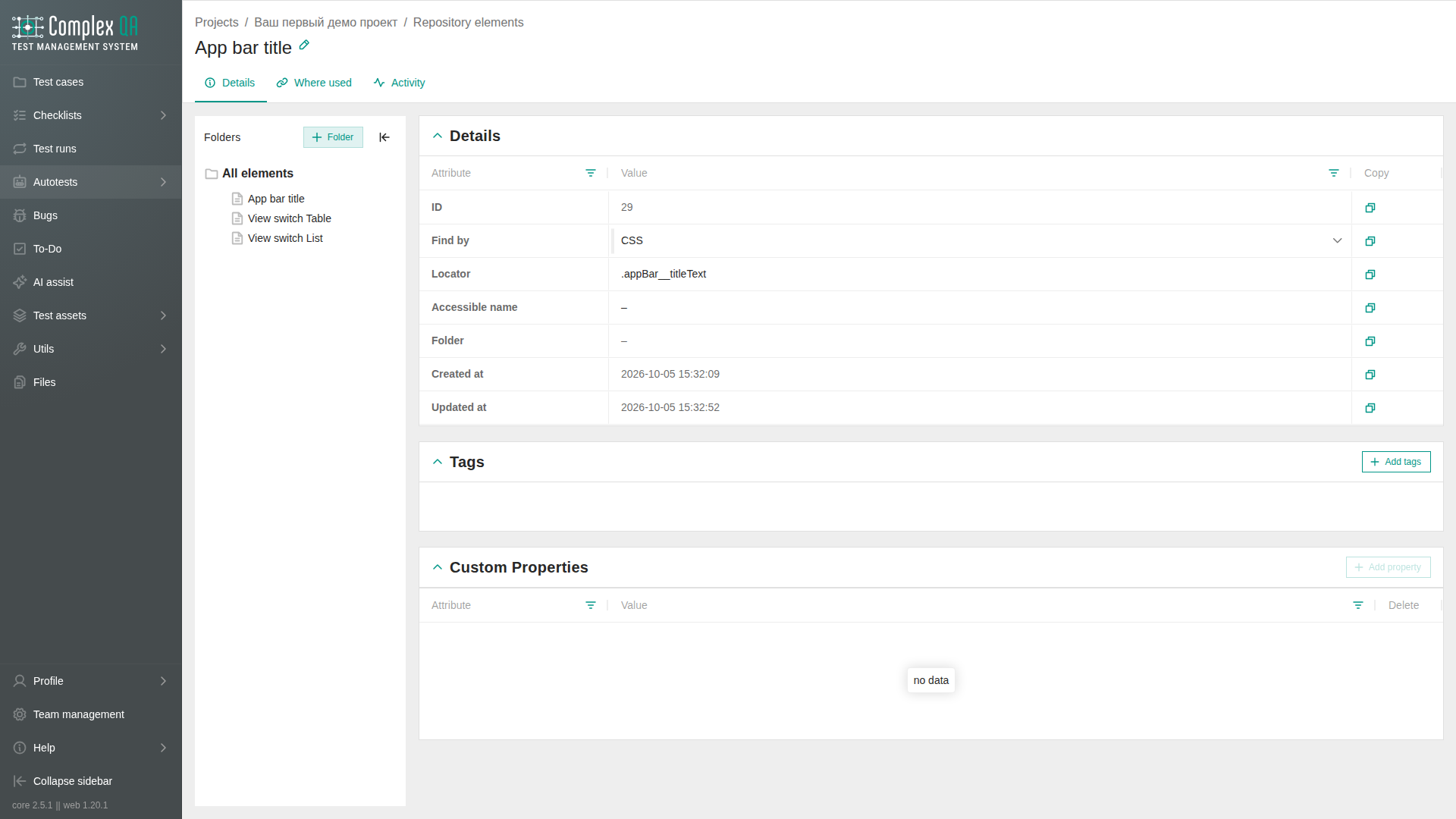
An element in the object repository is a named locator reused by autotest steps. It keeps locator data in the project catalog instead of repeating it inline in each step.
Relations
| Related element | How it connects |
|---|---|
| Project | Required owner |
| Folder | Organizes elements in the ELEMENT catalog |
| Page | Screen where the locator is used |
| Autotest step | Optional catalog Target for a locator action |
| Tag | Optional labels on the card and in the listing |
Fields
| Label | Content | Rule |
|---|---|---|
| Name | Human-readable element name | Use a name that identifies the control on its page |
| Locator kind | Locator strategy | Must match the stored locator value |
| Locator value | Value used to find the node | Prefer a value that matches one node. <<name>> is replaced from the run parameter of that name |
| Accessible name | Playwright accessible name | Required with locator kind ROLE. The same <<name>> token is replaced |
Locator keys
The worker accepts selector, css, id, name, placeholder, label, testid, title, alt, role, accessible_name, and text. When more than one key is present, the first filled key is used. title is the title attribute. alt is the image alternative text.
Rules
- Pages and elements use separate catalogs. A folder has kind
PAGEorELEMENTand cannot mix both. - Create folders in the Elements tree. An element may sit in a folder or have no folder.
- At the tree root the section lists all elements in the project. Open a folder to list only elements in that folder. Table and List show the same rows.
- Drag an element from the table onto a folder in the tree to move it, including onto an empty folder. After the drop the element stays visible inside that folder.
- Select a catalog element as Target for actions such as
click,fill,toBeVisible, andtoHaveAttribute. - At run time, the worker resolves the catalog item to the same locator accepted by an inline Target.
- Use
accessible_nametogether withrole. - Prefer exact, unique locators.
- On Table, checked rows show selected table rows.
- On the Where used tab, the Autotest case column shows the autotest name. When the name is empty, the identifier is shown. Go to opens that autotest.
Limits
- Check syntax validates the stored locator shape but does not open the site.
- Playwright strict mode fails at run time when a locator matches more than one node.
- A CSS selector with
*=performs a substring match. For example, a link ending in/4can also match/42. - Links that open a new tab should be checked for visibility or opened with
gotoand a full URL.
Did this page help?