

Text documents
Text documents
Text documents are long-form project documentation with a WYSIWYG editor: reports, specifications, runbooks, and other rich text that does not fit a single test-case field.
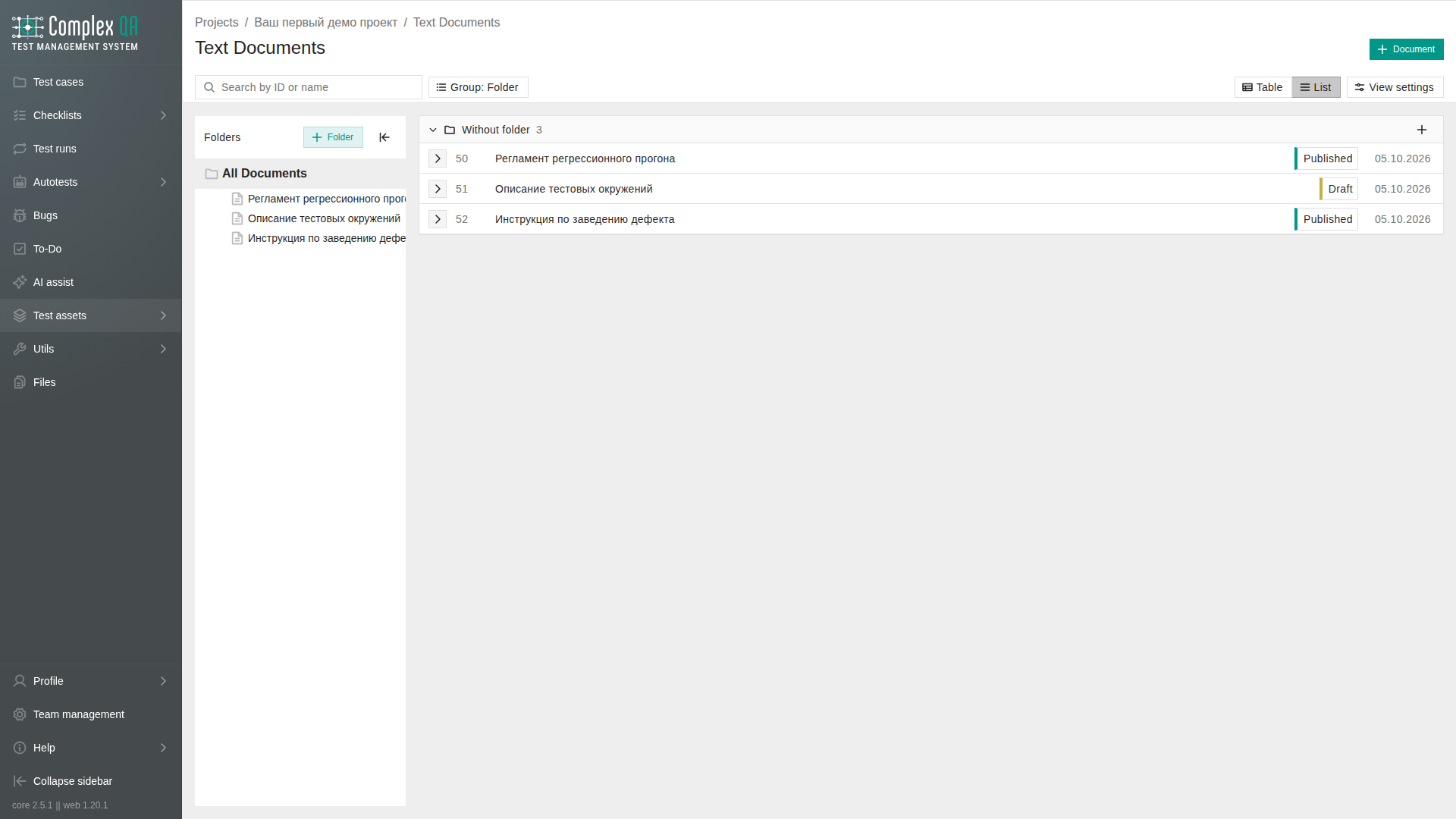
Documents live inside a project, in folders. They are separate from HTML fields on bugs or test cases.
Place in the product
Open Documents from the project sidebar or the Documents tab on project details. The folder tree sits beside the document list. On Table, checked rows show selected table rows.
| Related page | Topic |
|---|---|
| Public sharing | Public read-only links, moderation, reporting |
| Public catalog | Public catalog pages for shared documents |
Document at a glance
| Field (UI) | Meaning |
|---|---|
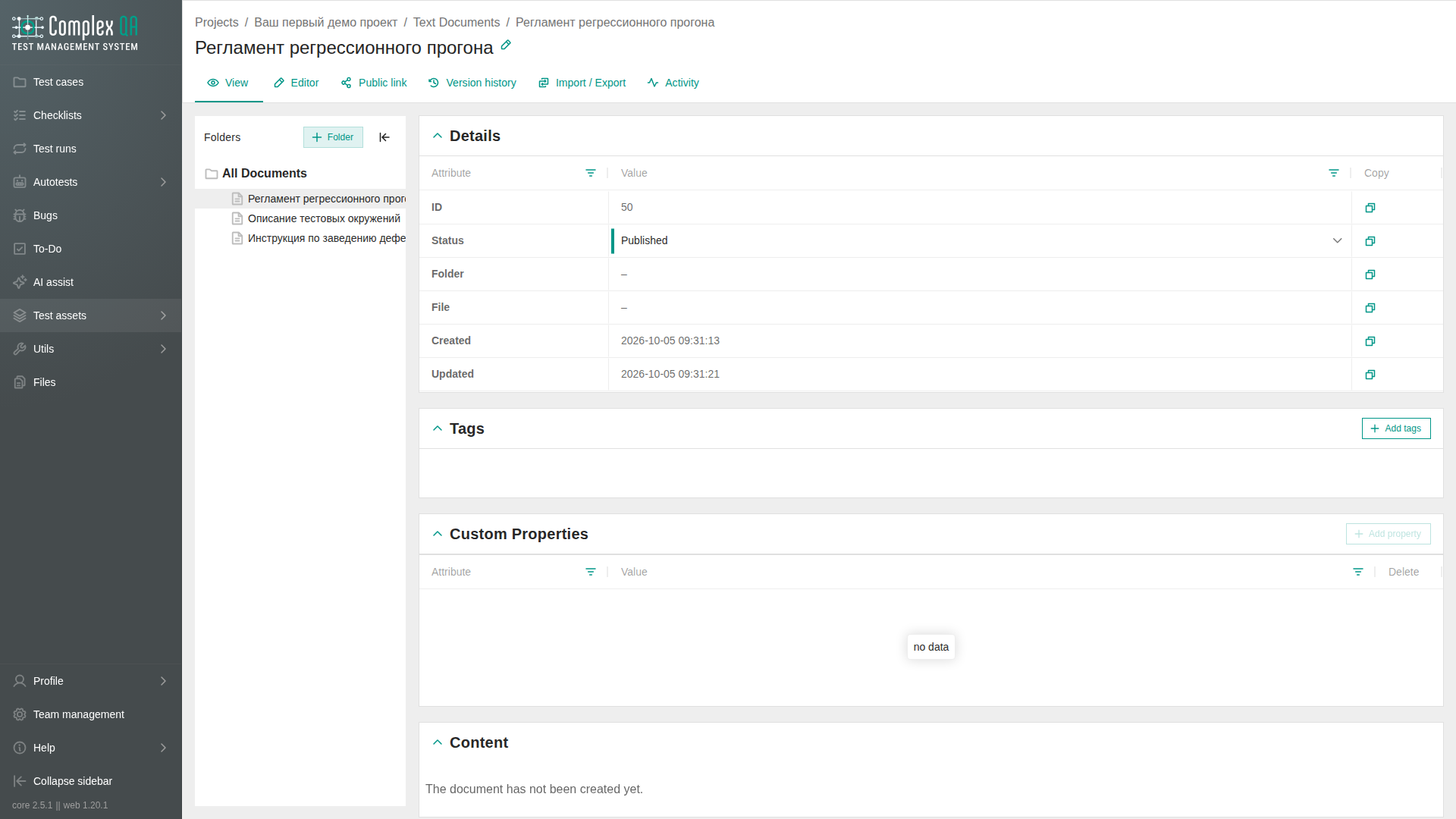
| Title | Document name |
| Folder | Location in the project tree |
| Status | Draft, Published, or Archived |
| Author | Who created the document |
| Created / Updated | Timestamps |
The body is stored as HTML in the file service. You edit it on the document details page.
Limits
| Limit | Value |
|---|---|
| Images per document | 20 |
| Saved versions (history) | 15 (oldest removed when exceeded) |
| Public link | Requires plan feature Text document public links |
Live plan limits are on the pricing page in the app and on the product site - this page does not restate tariff numbers.
Did this page help?