

How-to
Project activity
Project activity
Activity is the change log for a project, a team, or a single element. Entries are read-only. You cannot undo an operation or restore deleted data from the journal.
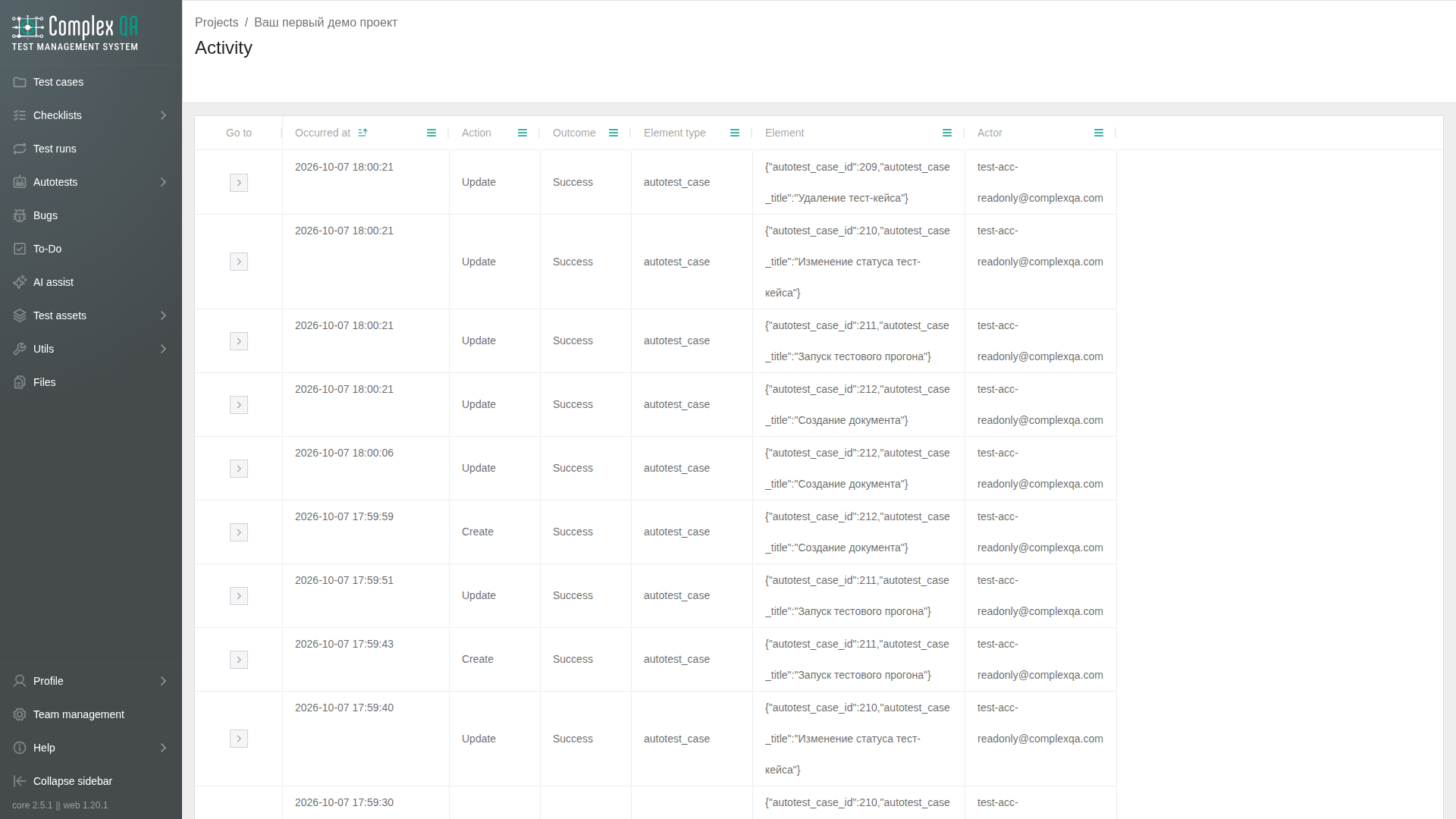
Activity is not a top-level item in the left menu. It sits next to the project, on the team page, and on element cards. Those screens share the same views, filters, and saved view settings.
Where to open it
| Place | What you see |
|---|---|
| Project > General > Recent activity | The latest events for the project: actor, action, element name, and time. This is not the full journal |
| Project > Activity | Events for the selected project |
| Project card > Activity tab | The same events for the current project |
| Team page > Activity tab | Events across the team, including a project column |
| Activity tab on an element card | Events for that element only |
The Activity tab is on the project, test case, checklist, test run, test run result, bug, test account, execution context, text document, autotest, autotest run, autotest result, object repository page, and object repository element.
Folders, including test suites and document folders, and team members do not have their own activity page. Use project or team activity.
Views
The switch on the right of the toolbar: Table, List, Timeline. View settings (order, grouping, visible fields) are shared by every activity screen.
The search field above the journal matches element name, actor, action, and ID among the rows already loaded.
Table
Columns: ID, time, action (CREATE, UPDATE, DELETE), outcome, element type, element, actor, and project when that column is not hidden by the project scope.
Sort and group come from the buttons above the table. Column headers still filter the loaded rows. For actor and element type, that filter lists only values present in those rows.
The Go to context menu offers the event and the element type. If the type has no card, the type item stays and is disabled.
List
The same rows as the table, laid out as fields. The eye opens a short event preview on the right: attributes, field changes, and a link to the event. Visible fields come from the view settings.
Timeline
Rows: Actor or Element type. Axis: Days or Hours. Interval From and To. The default is the last 14 days by days.
A cell shows counts by action. Hover lists the events in that cell: actor, element type, go to, and the same eye preview as the list.
Sort and group are hidden on the timeline. The interval, rows, and axis are on the toolbar instead.
Filters
The panel on the left is open. It collapses to a narrow strip. Checked values are sent when you press Submit. Reset clears the checks and loads the journal without those conditions. Several checks of one filter apply together.
| Filter | Values |
|---|---|
| Action | CREATE, UPDATE, DELETE |
| Actor | team members |
| Element type | types that are written to the journal. Project and team activity only |
| Actor type | USER, SYSTEM, SERVICE |
| Actor interface | UI, MCP |
On an element card the type is already fixed by the tab, so there is no element type filter.
Limits
- The journal is capped. For a large volume, read the newest rows and narrow them with filters.
- A failed operation can show a failure outcome. The row records the attempt and does not retry it.
Did this page help?