

Tasks
Tasks
Open a project, then open Tasks to see open work assigned to you. The page aggregates existing project elements. It is not a separate SDK element type and has no create form of its own.
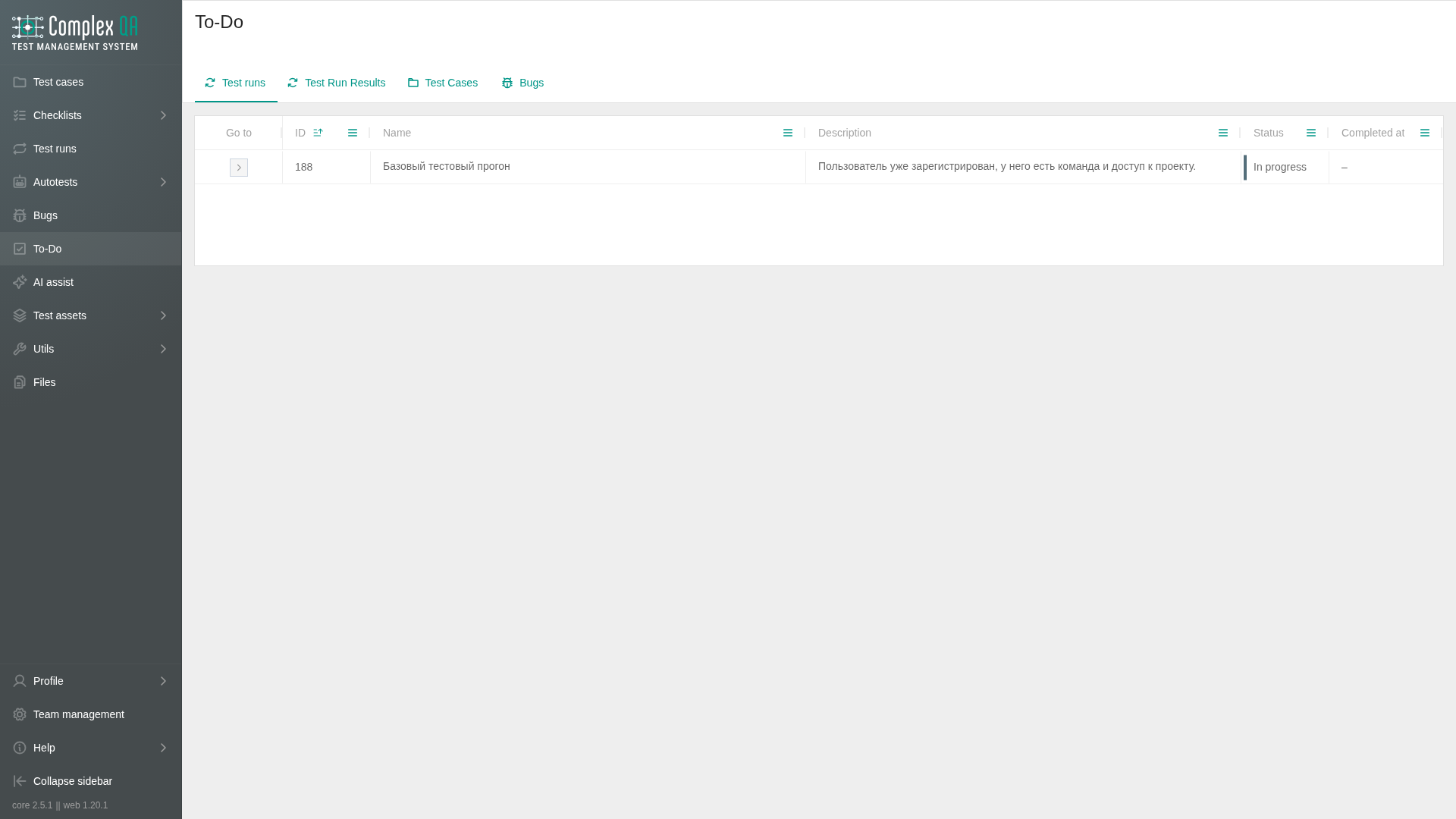
Use this section when you want a single place for assigned test runs, test run results, and test cases that still need work. Recording an outcome still happens on the test run result page.
Boundaries
- Buckets list items where you are the assignee and the status is still open (
PENDINGorIN_PROGRESS). - Bugs assigned to you may also appear in the product Tasks view when that assignment path is shown. Defect details stay under Bugs.
- Optional project filter narrows the buckets. Clearing the filter shows your open items across projects you can access in the team.
- Tasks does not replace Test runs or Test cases. It only surfaces assigned open work.
Buckets
| Bucket | Includes |
|---|---|
| Test runs | Runs assigned to you with status PENDING or IN_PROGRESS |
| Test run results | Results assigned to you with status PENDING or IN_PROGRESS |
| Test cases | Cases assigned to you with status PENDING or IN_PROGRESS |
What to read next
- Open an assigned test run result and record the outcome.
- Finish the parent cycle: Test run execution.
- Create a defect when needed: Bug creation.
Did this page help?