

How-to
Recommended process
Recommended process
How test cases, autotests, runs, and bugs connect. The lifecycle the team follows from release to release. Each stage opens a separate how-to.
In short
- Four stages form a cycle: a found bug returns you to test cases.
- Test assets are not a stage. They are a shared base that every run uses.
Lifecycle
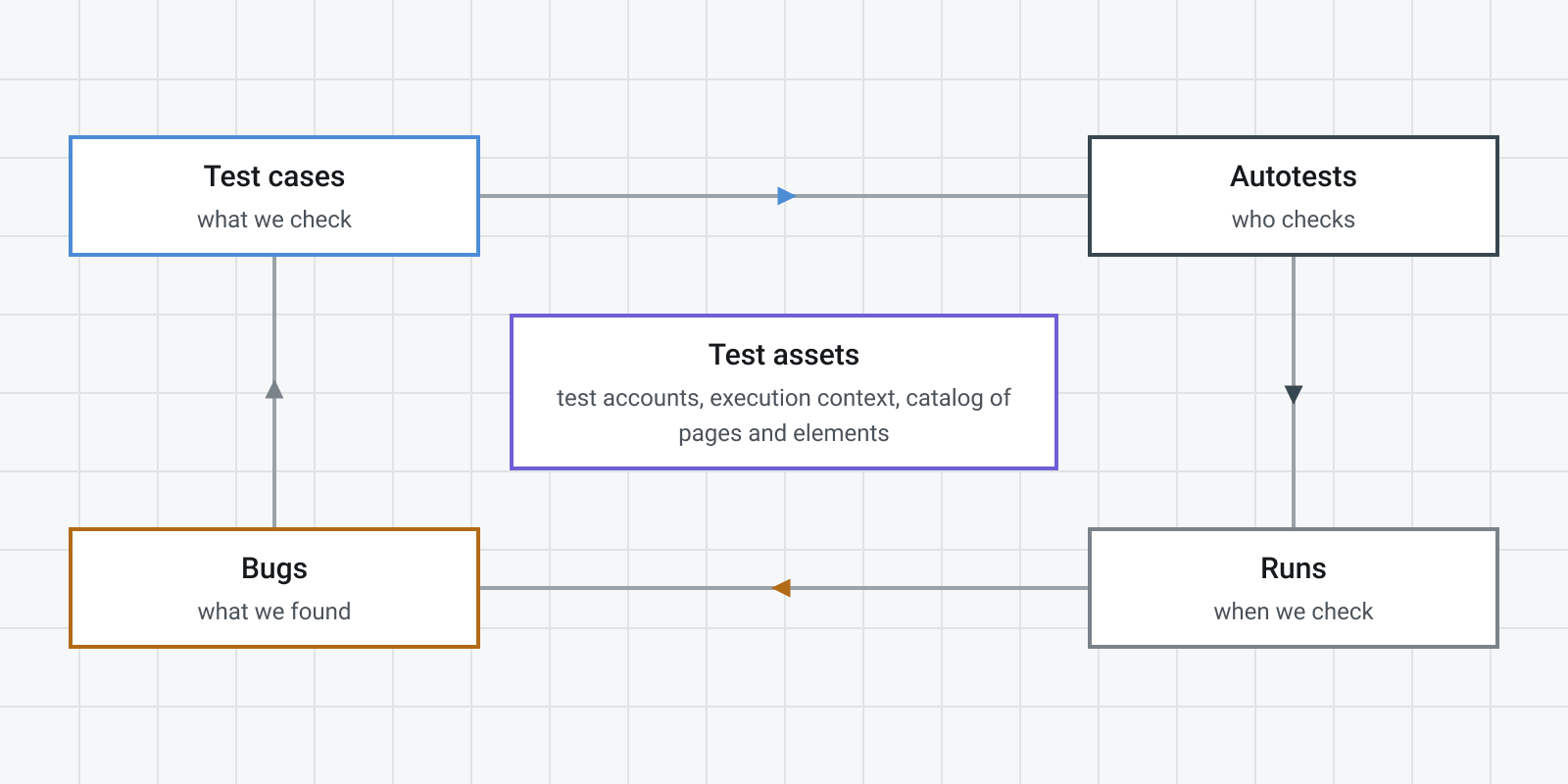
The four stage nodes form a loop. Test assets sit in the middle: test accounts, execution context, and the object repository (pages and elements). They feed every run and are not a fifth stage.
Four stages
1. Describe what you check
A test case records the precondition, steps, and expected result. It is the source for everything else.
2. Turn the check into an autotest
The AI assistant builds steps from a test case or from a bug. You edit and save the scenario.
3. Start a run
A manual test run or an autotest run: browser, resolution, threads, and retries.
Test run creation · Autotest run creation
4. File a bug and return to step 1
A bug links to a test case. Its reproduction steps become the next autotest.
Did this page help?